What is raw format in photography?
What does raw format mean in photography? This is a question I hear many times from my students.
Now more than ever, since we are in a period of great excitement regarding raw format photography.
The reason is obvious: we saw the introduction of the new Apple ProRaw format within the latest iPhone 12 Pro series. In any case, the raw format is also available on all latest-generation Android smartphones and obviously on all digital DSLR and mirrorless cameras.
In this article, I will therefore discuss what the raw format is in photography and the advantages of using it.
The importance of the raw file in photography
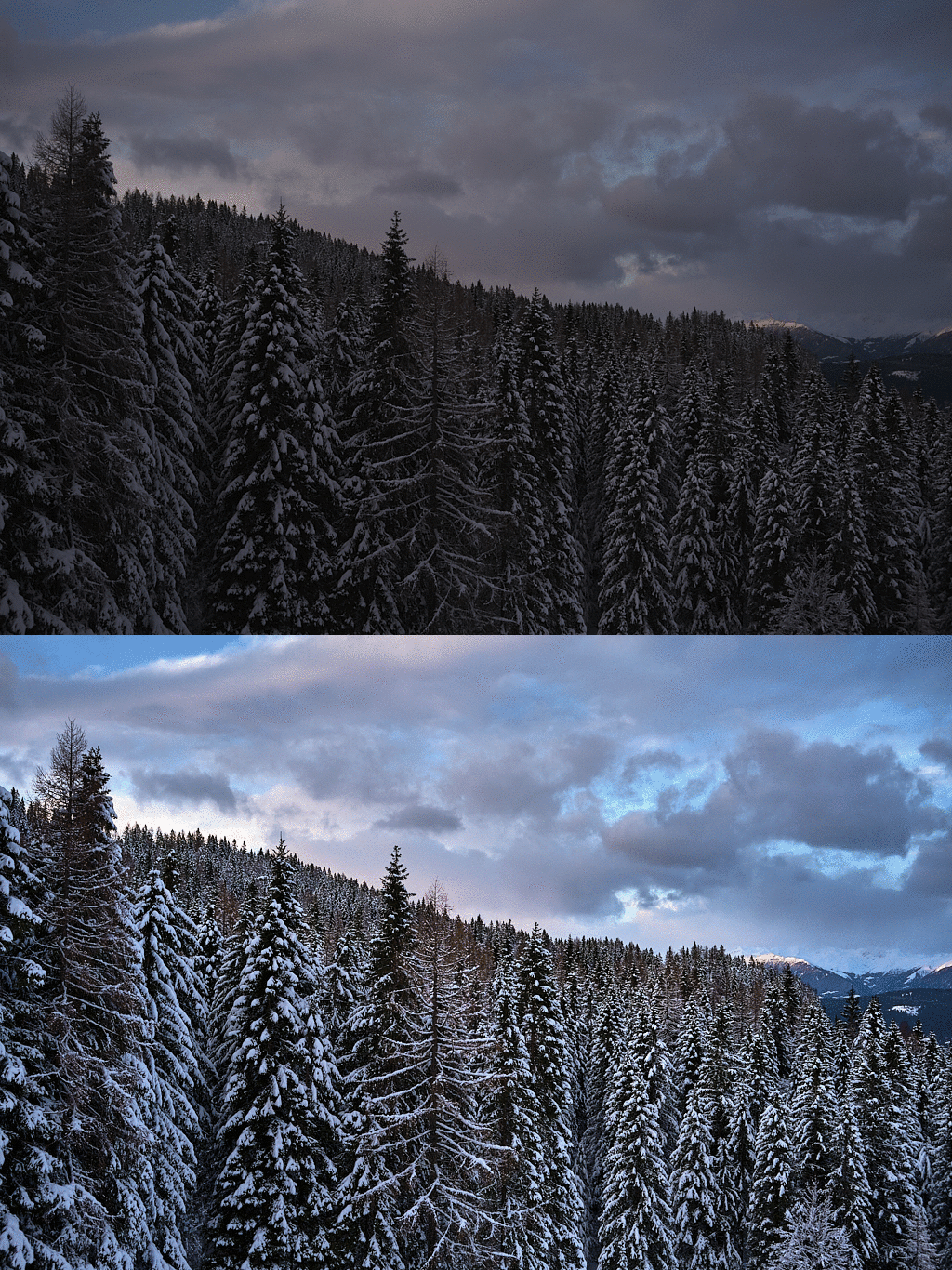
When we take a digital image and view it on screen, much of the work has already been done upstream.
First, the light was converted into given binary data by the photodiodes on the sensor.
Demosaicing is then performed. This is one of the most important aspects in the world of digital photography.
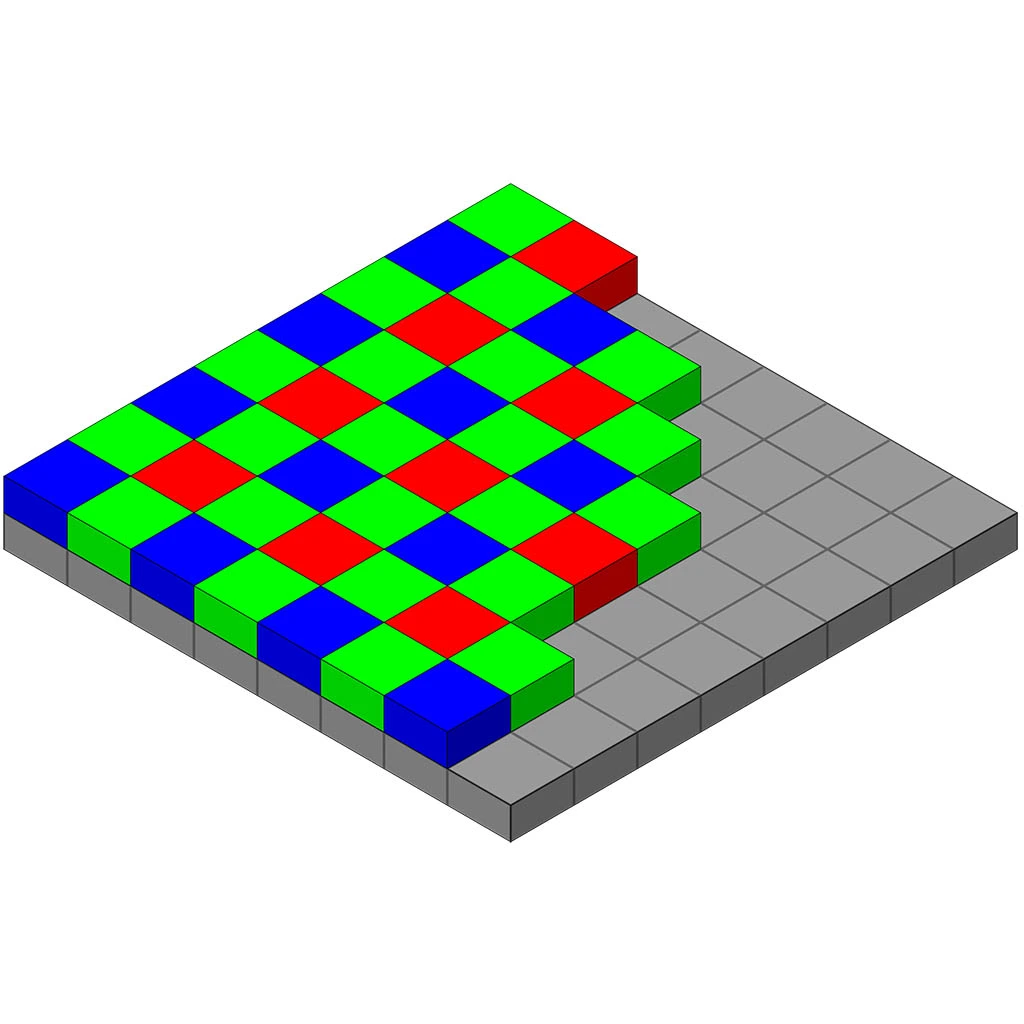
In fact, the digital sensor, in its current state of technology, cannot capture complete color information like old analog films (except for sensors with Foveon technology) but instead uses a colored matrix placed in front of the sensor called the “Bayer matrix”.
So imagine a grid composed of a 4×4-pixel pattern (image below on the left) that is repeated across the entire sensor, or a 6×6-pixel one (image below on the right), as in Fujifilm’s X-Trans sensor, a variant of the classic Bayer pattern.
In the classic Bayer setting, this pattern consists of two green pixels, a blue pixel, and a red pixel.
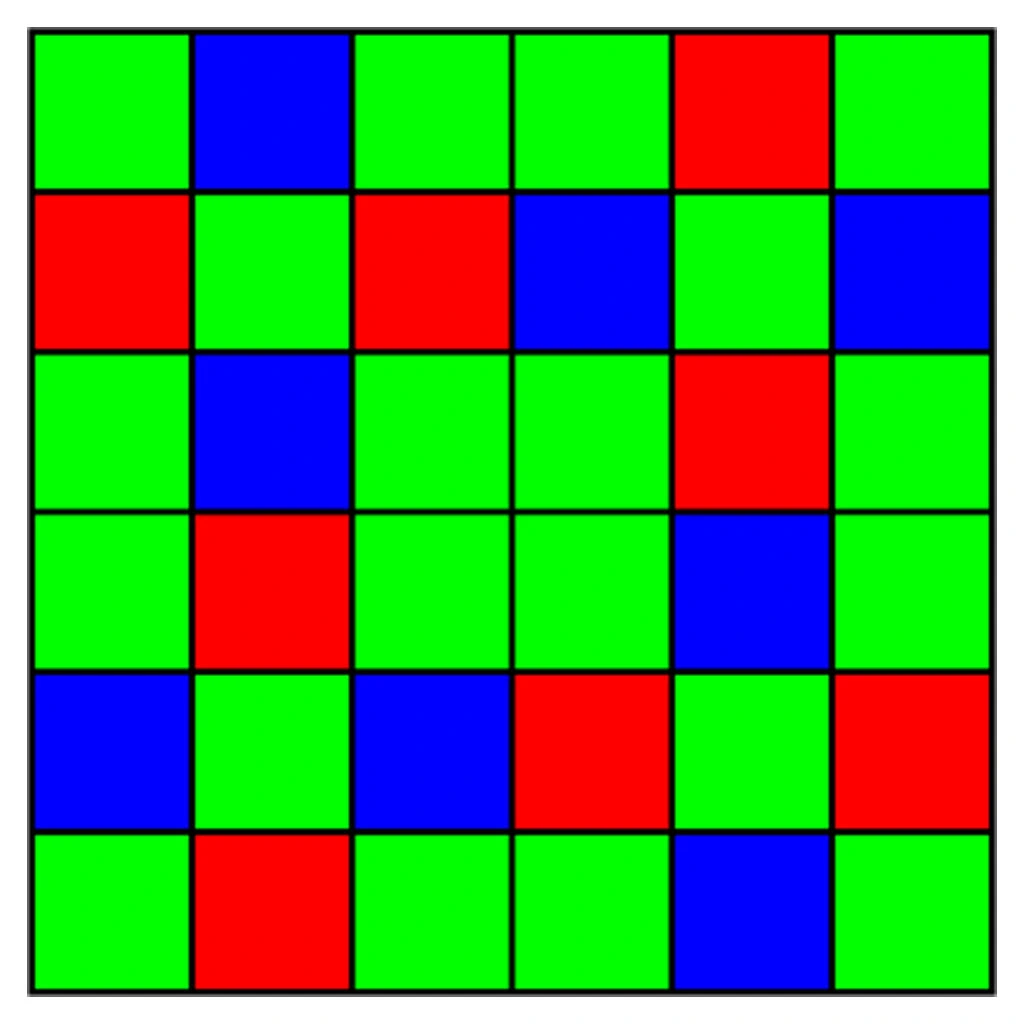
You may wonder why there is duplicate information for green pixels; the answer is that our eyesight is more sensitive to green frequencies.
The fact remains that our digital image thus captured looks like a chessboard. Surely all other colors and their shades are missing. How do we get them?
This process of reconstructing the missing colors is done through demosaicing. There are algorithms (mathematical functions) that work to recreate the missing colors.
So when we get a JPG file from our camera, it has already undergone demosaicing thanks to the image processor.
In addition, it applies the color settings we set in the camera (the various picture profiles, or film simulations in the case of Fujifilm cameras) and applies the white balance.
As a final step, it performs lossy compression, yielding a lightweight, ready-to-use JPG file.

The raw file format
The raw file already contains the intent in its name.
So imagine bypassing the entire calculation phase performed by the camera processor. The file is then written directly to the card in a proprietary format. This file therefore has many advantages and some disadvantages.
The advantages of using the raw format in photography
The demosaicing process was not done by the camera
In this case, we can use software on our computer to carry out this operation. I also point out that, with advances in technology, computing capacity, and algorithms, an “old” raw file taken years ago could be developed to a higher quality thanks to new software.
We can get our own look
Let’s imagine that the same image can yield different looks. For example, I can get a development with little contrast, one that accentuates sharpness, one that makes the image almost analog. I can also convert the image to black and white by working with the frequencies of the different colors to better balance the final result.
The final image can improve over time thanks to my new knowledge and taste
As a wine improves over time, an image can too.
This is a fundamental aspect. In fact, our technical skills in using the software change over time, and with them, therefore, also the final result we obtain.
A development made 10 years ago will be different from the one I would carry out today, also because my personal taste may have changed over time.
In addition, technology improves, and so do the algorithms: they allow you to extract more detail and better recover shadows and highlights.
Maximum versatility in colour change
In the raw file, the white balance setting is not baked in — it reflects the initial reference from how the camera set it, so we can correct any green or red casts that arise in many difficult lighting situations.
We have the highest quality without information loss
No information compression was applied to the raw file, which would have thrown away important data. We have it all available to get the most out of our image.


The disadvantages of using the raw format in photography
The file must be processed
The raw file cannot be taken and uploaded online as is. It has to be processed with software due to its very nature, as explained above. With the raw file, I therefore need software such as Lightroom or Capture One Pro to develop the image and finally get a JPG file to share on the web (or a TIFF without compression for printing).
I have to spend some time in post-production work
This ties into the previous point. With the raw file, I have to spend some time in the import process in the development software, and later in developing the file itself, going in to adjust all the parameters to obtain the final photograph.
The file weighs more
Compared to a JPG file, a raw file can weigh 3 to 6 times as much because no compression has been applied.
Most of the time it is a proprietary file
Despite Adobe’s work in creating a universal file called Digital Negative (DNG), manufacturers continue to use their proprietary formats, which require software to undergo continuous updating processes to read new files. In fact, let’s take the example that you bought a new camera from manufacturer X: well, the development software Y you use will not see this new raw format until there is an update.
Who uses the universal DNG raw format?
These are the manufacturers that currently (late 2020) natively support saving files in the universal DNG format:
- Leica.
- Pentax, using the option in the file save settings menu.
- Ricoh Digital GR.
- Sigma SD Quattro, using the option in the file save settings menu.
- All Android smartphone manufacturers.
- Apple, with its ProRaw and saving a raw file from third-party apps like Halide or Moment.
What proprietary raw formats are there?
All the other manufacturers that do not currently use the universal raw DNG format use their own proprietary formats, which have the following names:
- .CR2 / .CR3 for Canon
- .NEF for Nikon
- .ARW for Sony
- .RAF for Fujifilm
- .PEF for Pentax
- .ORF for Olympus
- .SRW for mirrorless Samsung





Leave a Reply